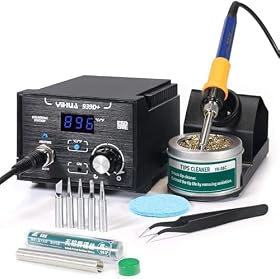
A good soldering station for surface-mount work should provide stable temperature control, compatible fine tips, quick heat recovery, and enough ergonomic control for precise joints. Here is what matters before you buy.
Surface-mount work is easier with a soldering station that holds its temperature under load, accepts genuinely fine tips, and lets you position the handpiece precisely. A high maximum temperature alone is not the deciding factor. For small components, tip geometry, heat transfer, visibility, and operator control usually matter more.
What to look for in a surface-mount soldering station
Stable temperature control
Choose a station with electronic temperature regulation rather than a basic iron that cycles broadly around a target temperature. Stable control helps prevent two common problems: cold joints caused by insufficient heat and lifted pads or damaged components caused by excessive dwell time.
The station should also recover heat quickly when the tip contacts a ground plane, large copper area, or component lead with greater thermal mass. Published power ratings can help with this, but wattage alone does not guarantee performance. Cartridge design, sensor placement, heater construction, and the station's control system also affect recovery.
Use the lowest temperature that melts the selected solder and allows you to complete the joint efficiently. Follow the solder and component manufacturers' guidance, especially when working with lead-free alloys or heat-sensitive parts.
Tip compatibility and geometry
A station is only as useful as the tips it can accept. Before buying, confirm that replacement tips are readily available and that the range includes shapes suited to your work.
Useful shapes may include:
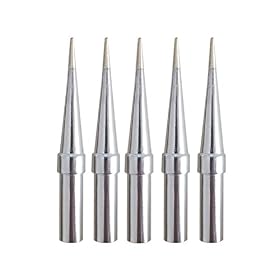
- Conical tips for access between closely spaced pins, though very sharp tips transfer heat less efficiently.
- Fine bevel or chisel tips for dragging solder along leads and transferring heat consistently.
- Small hoof or spoon tips for drag soldering, depending on the station's compatible tip system.
- Small bent tips when a different approach angle improves visibility.
Do not automatically choose the smallest possible tip. A tip that is too small may not transfer enough heat, forcing you to hold it on the joint longer. Match the working surface of the tip to the pad and lead while leaving enough clearance around nearby components.
Low handpiece weight and good balance
Surface-mount soldering involves small movements, frequent repositioning, and close visual work. A slim, well-balanced handpiece can reduce hand fatigue and make it easier to avoid bumping adjacent components.
Look for a flexible cord that does not pull the handpiece across the workbench. Controls should be easy to reach without forcing you to look away from the board. A stable iron holder is also important because it keeps the hot tip pointed safely away from the work surface.
ESD protection
For modern electronics, choose a station designed for electrostatic-discharge control. Look for the manufacturer's stated ESD-safe or antistatic design and use it as part of a properly grounded workstation.
An ESD-safe station does not replace safe handling practices. Depending on the components and work environment, you may also need a grounded mat, wrist strap, suitable grounding arrangement, and antistatic storage. Follow local electrical-safety requirements and the component manufacturer's handling instructions.
Useful control features
Convenience features can be worthwhile when they support consistent technique:
- Temperature lock or password control to prevent accidental changes.
- Preset temperatures for commonly used solder and rework tasks.
- Sleep or standby mode to reduce tip wear when the iron is idle.
- Automatic shutoff as an additional safety measure, if appropriate for your workflow.
- Clear temperature display that is readable at your normal working distance.
- Separate handpieces or tool support if you regularly switch between fine soldering and heavier joints.
These features are secondary to tip availability, thermal behavior, and ergonomics. Do not pay extra for controls you will not use.
Choose the station around your surface-mount work
Fine-pitch ICs and small passive components
For fine-pitch work, prioritize a narrow handpiece, precise temperature adjustment, fine but usable tip options, and a flexible cable. Good lighting and magnification are equally important because poor visibility often causes more errors than the station itself.
A small chisel or bevel tip may be more practical than an ultra-fine conical tip for many joints. It can transfer heat and solder more predictably while still reaching compact pads.
Larger connectors, ground planes, and power components
If you work on boards with large copper areas, shield tabs, connectors, or power components, give more weight to heat recovery and available tip sizes. A station intended only for delicate signal work may struggle to heat these joints efficiently.
You may need a larger compatible tip rather than a higher temperature. Increasing temperature to compensate for an undersized tip can increase the risk of pad damage, insulation damage, and overheated components.
Lead-free solder
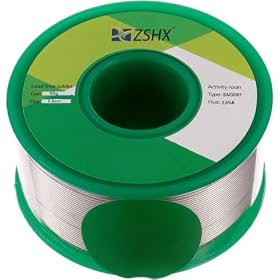
Lead-free solder generally requires careful control of heat, tip condition, and dwell time. Confirm that the station and replacement tips are suitable for the solder alloy you use. Keep the tip properly tinned and avoid leaving it dry at operating temperature.
The correct temperature depends on the solder alloy, joint size, board construction, and component limits. Use the solder manufacturer's recommendations as a starting point rather than choosing a setting based only on the display's maximum value.
Repair work versus repetitive assembly
For occasional repairs, a reliable station with readily available tips and a comfortable handpiece may be a better choice than a feature-heavy system. For repetitive assembly, preset temperatures, standby behavior, quick tip changes, and consistent ergonomics become more valuable.
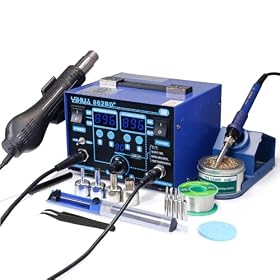
If you regularly need to remove components without touching them with a tip, consider a separate hot-air rework tool or a station designed specifically to support that function. A conventional soldering station is not a substitute for hot air when working with many-lead packages, bottom-terminated components, or parts that cannot be reached easily with a soldering tip.
A practical setup for surface-mount soldering
A capable station works best with a controlled setup:
- Secure the board so it cannot move while you work.
- Use adequate lighting and magnification when needed.
- Select a clean, properly sized tip and tin it lightly.
- Apply flux appropriate for the solder and board.
- Heat the pad and lead together rather than heating only the component lead.
- Feed solder to the joint, not directly to the tip unless you are tinning or preparing the joint.
- Remove solder and then the tip while keeping the joint still as it solidifies.
- Inspect for bridges, insufficient wetting, disturbed components, and damaged pads.
- Clean residues according to the flux manufacturer's instructions.
For drag soldering, apply flux, use a suitable bevel or hoof-style tip if compatible, and remove bridges with controlled additional flux and solder wick. Avoid pressing down on small components or pads.
Common buying mistakes
Choosing only by maximum temperature
A high maximum setting does not tell you how stable the station is at normal working temperatures or how well it recovers heat. Focus on control quality, tip compatibility, and the work you actually perform.
Buying tips that are too small
The smallest tip may look appropriate for tiny components but can make heating slower and less consistent. Select the smallest tip that still transfers heat effectively to the joint.
Ignoring replacement-tip availability
Tips are consumable parts. Check whether the station has a continuing supply of compatible tips in several shapes and sizes. A low purchase price is less useful if suitable replacements are difficult to find.
Treating wattage as a complete performance measure
Power matters, particularly for large copper areas, but it is only one part of the system. Compare the station's intended use, compatible tip system, handpiece design, and manufacturer's thermal specifications where available.
Using a soldering station for every rework task
A fine-tip iron is excellent for many repairs, including individual leads, pads, jumpers, and solder bridges. It is not always the right tool for removing densely connected packages. Add hot-air equipment only if your work justifies it, and use it carefully around heat-sensitive parts and nearby plastic components.
When to replace a station or just replace the tip
Replace the tip when it is pitted, refuses to wet with solder after proper cleaning and tinning, has lost its plating, or no longer transfers heat normally. Use the correct tip type for the handpiece; forcing an incompatible tip can create poor thermal contact or a safety problem.
A replacement station becomes reasonable when the handpiece, heater, temperature sensor, cable, or control electronics are unreliable; compatible tips are no longer available; temperature behavior is inconsistent; or the station lacks the ESD and ergonomic features required for your work. Disconnect power before inspecting or servicing equipment, and follow the manufacturer's repair guidance. For internal electrical faults, use an authorized repair service or a qualified technician.
Bottom line
For surface-mount work, prioritize stable temperature regulation, useful fine-tip and medium-tip options, quick heat recovery, ESD control, and a comfortable handpiece. Choose the tip size for effective heat transfer rather than appearance, and add hot-air capability only when your component and rework tasks require it.