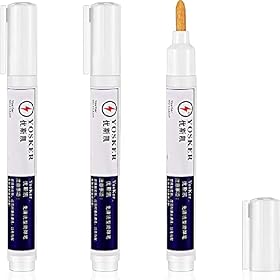
No-clean flux can leave shiny, amber, cloudy, or sticky residue that makes a sound solder joint look defective. Check the joint’s shape and connection before deciding to clean or rework it.
No-clean flux residue can look shiny, amber, cloudy, or sticky, but appearance alone does not prove a solder joint is bad. Check whether the solder properly wetted the pad and lead, and whether the connection is sound. Clean residue only when needed, using a method compatible with the flux and board.
What no-clean residue can look like {#residue-appearance}
No-clean flux is formulated so its residue can usually remain after soldering when used as directed. Depending on the flux, amount applied, and heating, the residue may look glossy, amber, brownish, hazy, or tacky. A glossy patch around a joint can resemble a poor solder fillet, while residue can also make inspection harder.
“No-clean” does not mean every residue is harmless in every situation. Follow the flux manufacturer’s guidance, especially for high-impedance circuits, sensitive assemblies, or work that will be exposed to moisture or contamination. Discoloration can also result from overheated flux; it is not, by itself, proof that the joint failed.
Check the joint itself {#check-joint}
Let the board cool, then inspect the solder where it meets both the pad and the component lead. A sound joint should show clear wetting at both surfaces. Look for a lead or pad that appears separate from the solder, a crack, a solder bridge, or a joint that moved before it solidified. A lumpy or dull appearance can be a clue, but neither appearance alone confirms a defect.
If the connection is in doubt, switch off and disconnect power before checking it. On an unpowered circuit, a multimeter continuity check may help identify an open connection, but continuity alone does not prove the joint is mechanically sound. Avoid probing powered circuits unless you are qualified to do so.
Product prices and availability are accurate as of the date/time indicated and are subject to change. Any price and availability information displayed on Amazon.com at the time of purchase will apply to the purchase of this product.
Clean residue without damaging the board {#clean-residue}
If residue obscures inspection or needs to be removed for the assembly’s requirements, check the flux manufacturer’s cleaning instructions first. Not every no-clean residue dissolves well in isopropyl alcohol, and an unsuitable solvent or brushing method can spread residue or damage components, coatings, labels, or plastics.
Use only a compatible electronics-cleaning method, work with power disconnected, and allow the board to dry completely before powering it. Solvents can be flammable: follow their label and safety guidance, and provide appropriate ventilation. Do not scrape pads or component leads aggressively.
Product prices and availability are accurate as of the date/time indicated and are subject to change. Any price and availability information displayed on Amazon.com at the time of purchase will apply to the purchase of this product.
Rework a genuinely poor joint {#rework-joint}
If inspection shows poor wetting, a crack, or an open connection, remove power and rework the joint using the soldering process and materials appropriate for the board and components. Apply a small amount of compatible flux and reheat the joint so solder wets both the pad and lead; add solder only if needed. Let it cool without movement, then inspect it again. Clean afterward only if the flux instructions or the assembly requirements call for it.
If a pad is lifted, a trace is damaged, or the joint remains unreliable after careful rework, stop rather than applying more heat. The board may need repair by someone qualified to handle that type of assembly.
FAQ
Does no-clean flux residue mean a solder joint is bad?
No. Residue can look glossy, amber, cloudy, or sticky even around a sound joint. Check whether solder wetted both the pad and lead, and look for cracks, bridges, or an open connection.
Can I use isopropyl alcohol to remove no-clean flux?
Only if the flux manufacturer says it is compatible. Some no-clean residues do not dissolve well in isopropyl alcohol, and the solvent may affect board materials or spread residue.
Should no-clean flux residue always be removed?
Usually not when the flux is used as directed, but the right choice depends on the flux, circuit, and application. Follow the manufacturer’s instructions and any cleanliness requirements for the assembly.