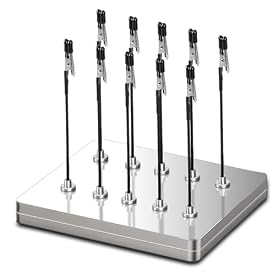
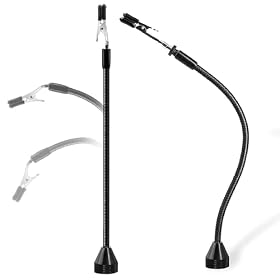
Third-hand clips usually melt because they touch the iron, sit too close to a hot joint, or conduct heat from the workpiece. Reposition the clip before replacing it.
If a third-hand clip is melting, move it away from the iron and hot joint before continuing. Plastic or coated clips can deform from direct contact, nearby heat, or heat conducted along a wire or component lead. Let the setup cool, then check the clip, its cover, and the way the work is held.
Move the clip away from the heat source
Unplug the soldering iron or place it securely in its stand, and allow the clip and workpiece to cool. Do not handle a softened clip while it is hot.
Reposition the clip so it grips a cooler section of the lead or workpiece, well away from the joint. A clip can be out of contact with the iron tip and still get hot if it is clamped close to the joint or along a metal lead that conducts heat. Keep the iron tip, hot solder, and heated component clear of the clip and its covering.
Check the clip and its covering
Look for softened plastic, blistering, discoloration, cracks, or a loose cover. Check whether the clip itself is plastic, metal with a plastic sleeve, or another material; construction and heat limits vary. Do not assume that a cover described as heat-resistant can withstand direct contact with a soldering iron.
A metal clip may avoid melting, but it can conduct heat and become hot enough to burn skin or damage a component. Use the clip only within the manufacturer’s guidance, and keep it away from the joint. Replace a damaged cover or clip rather than continuing to use it.
Product prices and availability are accurate as of the date/time indicated and are subject to change. Any price and availability information displayed on Amazon.com at the time of purchase will apply to the purchase of this product.
Adjust the setup before soldering again
Clamp the work by a cooler section, such as a portion of lead away from the joint, when the component and setup allow it.
Move or angle the helping-hands arms so the clip is not in the iron’s path and does not touch the heated work.
Secure the board or component without forcing the clip against a hot area. If it will not stay put at a safer distance, use a different holding arrangement.
Keep the iron in its stand whenever it is not in your hand. Follow the iron and third-hand tool instructions, and work with appropriate ventilation.
If the clip begins to soften again, stop and reposition the work. Do not keep soldering while a holder is smoking or deforming.
Product prices and availability are accurate as of the date/time indicated and are subject to change. Any price and availability information displayed on Amazon.com at the time of purchase will apply to the purchase of this product.
Replace the damaged part or holder
A replaceable clip or sleeve is a reasonable fix if the holder’s arms and joints still work properly and the replacement is compatible with the tool. Replace the whole helping-hands assembly if its arms are loose, its joints are damaged, or the clip cannot hold the work safely at a cooler distance. If you are unsure whether a replacement material or part is suitable, check the manufacturer’s instructions.
FAQ
Can I keep using a third-hand clip after its cover has melted?
Stop using it until it cools and inspect it. Replace a cover or clip that is softened, cracked, loose, or otherwise damaged; it may no longer hold the work securely or protect against contact with hot metal.
Will an all-metal third-hand clip solve the problem?
It will not melt like some plastic parts, but metal can conduct heat and become hot. Keep any clip away from the iron tip and hot joint, and follow the holder’s instructions.
Why does a clip get hot even when it is not touching the iron?
Heat can reach it from a nearby joint or travel along a metal lead or workpiece. Move the clip farther from the heated area and let the setup cool before adjusting it.